
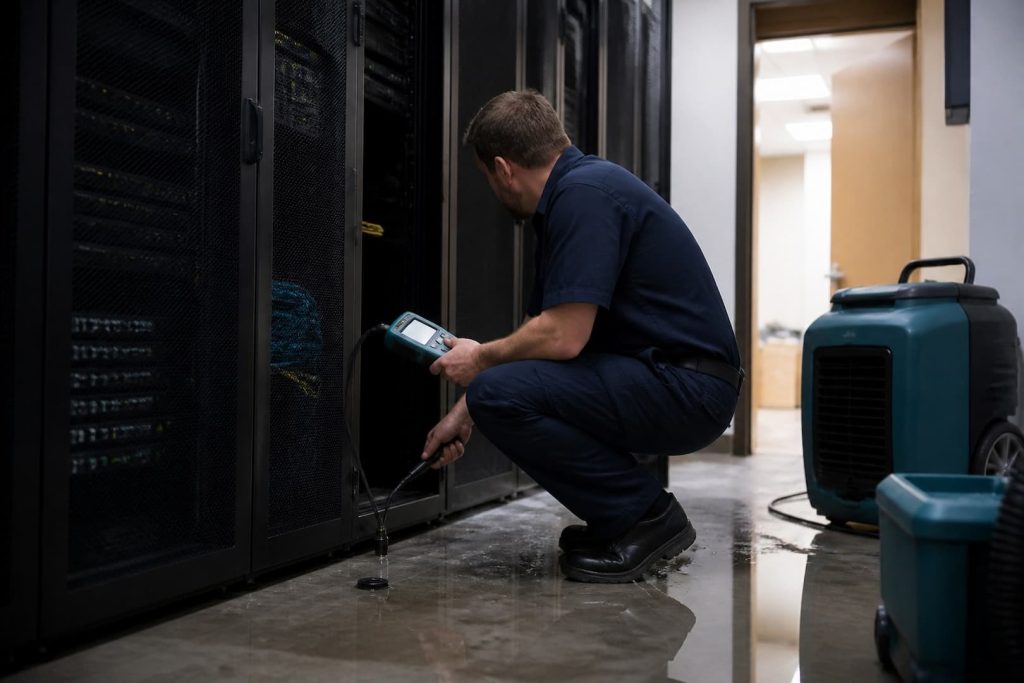
Water in a server room is an electrical incident before it is a drying project. If water is contacting powered equipment, standing water is near receptacles or racks, or anyone hears buzzing or sees arcing, keep people out and use the facility’s emergency process. Do not step into water to reach a switch, touch wet cables, or improvise a shutdown.
Facilities, IT, electrical, restoration, security, and equipment vendors have different authority. Name an incident lead and record decisions. A restoration contractor can extract water and dry building materials; it should not declare servers safe to energize or perform work reserved for an electrician or equipment specialist.
First priorities in order
- Protect people and control access. Post the room and stop unassigned staff from moving equipment.
- Control electrical energy through the approved facility process. Use a dry, safely accessible disconnect and qualified personnel.
- Stop the water upstream. Isolate plumbing, HVAC condensate, roof entry, sprinkler piping, or another source.
- Protect data and service continuity. IT decides graceful shutdown, failover, backup verification, and replacement priorities when conditions permit.
- Contain and extract water. Keep migration away from racks, raised floors, cable paths, and adjoining rooms.
- Document the loss. Record source, time, affected assets, room conditions, shutdowns, and chain of custody.
- Stabilize temperature and humidity. Use a drying plan compatible with electronics and manufacturer requirements.
Common water sources in technical rooms
| Source | Clue | Responsible next action |
|---|---|---|
| HVAC condensate overflow | Wet ceiling tile, drip pan, or line near an air handler | HVAC contractor isolates and repairs; restoration maps spread |
| Domestic or chilled-water pipe | Pressurized leak or wet wall/ceiling path | Facilities or plumber isolates source; electrician assesses exposure |
| Roof or ice-dam intrusion | Weather-timed stain or drip at exterior zone | Roofing work plus interior extraction and drying |
| Sprinkler discharge or leak | Water from fire-protection piping | Fire-protection vendor and authorities preserve system status |
| Floor drain or sewer backup | Odor, residue, reverse flow | Treat as contaminated; isolate area and involve plumbing/restoration |
| Human or appliance source | Mop sink, water cooler, cleaning storage, portable AC | Remove source and revise room-use policy |
Protecting equipment without creating more damage
Do not energize wet equipment “to see if it still works.” Even when a device appears normal after surface drying, moisture and residues can cause corrosion, conductive paths, battery damage, or delayed failure. IT should identify critical assets, serial numbers, backups, configuration records, warranties, and manufacturer recovery guidance before cleaning or disposal.
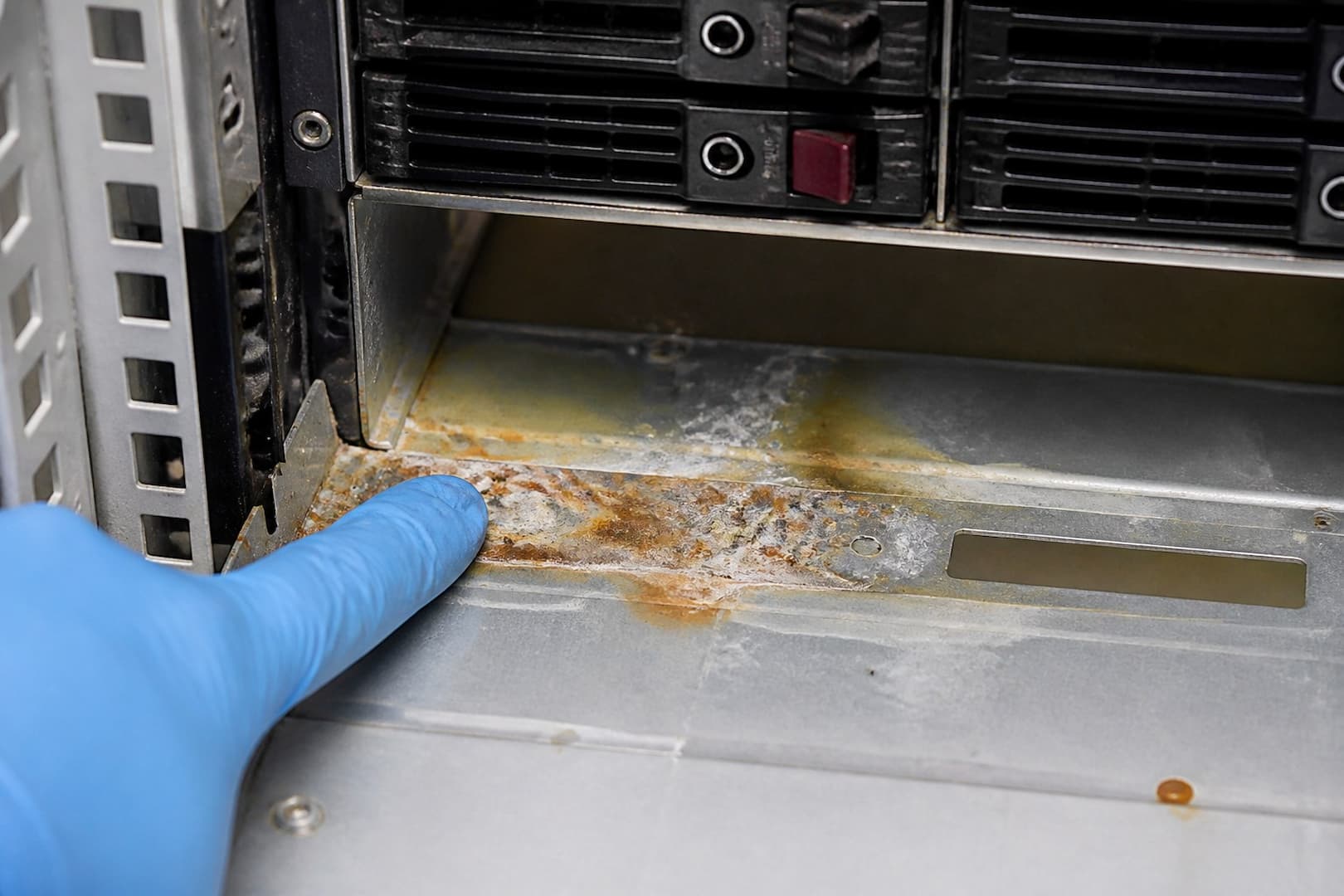
- Photograph racks, cable routes, UPS units, and affected ceiling or floor zones before movement.
- Keep disconnected cables labeled; avoid pulling on wet connectors.
- Treat UPS batteries and damaged power equipment as specialist hazards.
- Do not seal wet electronics tightly in plastic for extended storage.
- Separate clean spares and documentation from the work zone.
- Use an equipment evaluator for servers, storage arrays, switches, and controls that may be candidates for restoration.
- Plan temporary network, power, and cooling paths before returning production loads.
Drying the room around the technology
Extraction comes before evaporation. The restoration team maps moisture in ceiling tile, drywall, insulation, raised-floor panels, carpet, baseboards, and adjacent assemblies. Air movers must not blow dirty water, ceiling debris, or dust into open equipment. Dehumidification and temperature should stay within the equipment and facility limits; faster is not automatically safer.
A closed wall or raised floor can retain water after the room air looks normal. Inspect cable penetrations, underfloor voids, insulation, wall bases, and the space above suspended ceilings. If the source was contaminated, material removal and cleaning standards become more conservative. BRG’s commercial restoration service can coordinate the building side of the loss.
The recovery gate before re-energizing
| Gate | Owner | Evidence needed |
|---|---|---|
| Electrical clearance | Qualified electrician/facility authority | Circuits, panels, receptacles, grounding, and affected infrastructure evaluated |
| Equipment decision | IT and manufacturer/equipment specialist | Asset inspected, cleaned or replaced, with known configuration and risk |
| Building dryness | Restoration team | Moisture readings compared with dry references; hidden layers addressed |
| Environmental control | Facilities/HVAC | Stable room temperature, humidity, cooling, and condensate management |
| Service continuity | IT/business owner | Backups verified, failover plan tested, monitoring active |
| Loss documentation | Incident lead/risk team | Photos, timeline, inventory, invoices, communications, and decisions retained |
Documentation that helps the business recover
Create one incident log with discovery time, who entered, when power and water were controlled, which services failed, which assets moved, and who authorized each change. Photograph labels and serial numbers. Preserve replaced parts, damaged ceiling material, or a source component when the insurer or vendor needs it. Avoid guessing at the cause in emails; record observable facts and the specialist’s later finding.
Prevention that belongs in a real IT plan
- Keep sinks, water coolers, mop storage, and unprotected piping out of IT rooms where feasible.
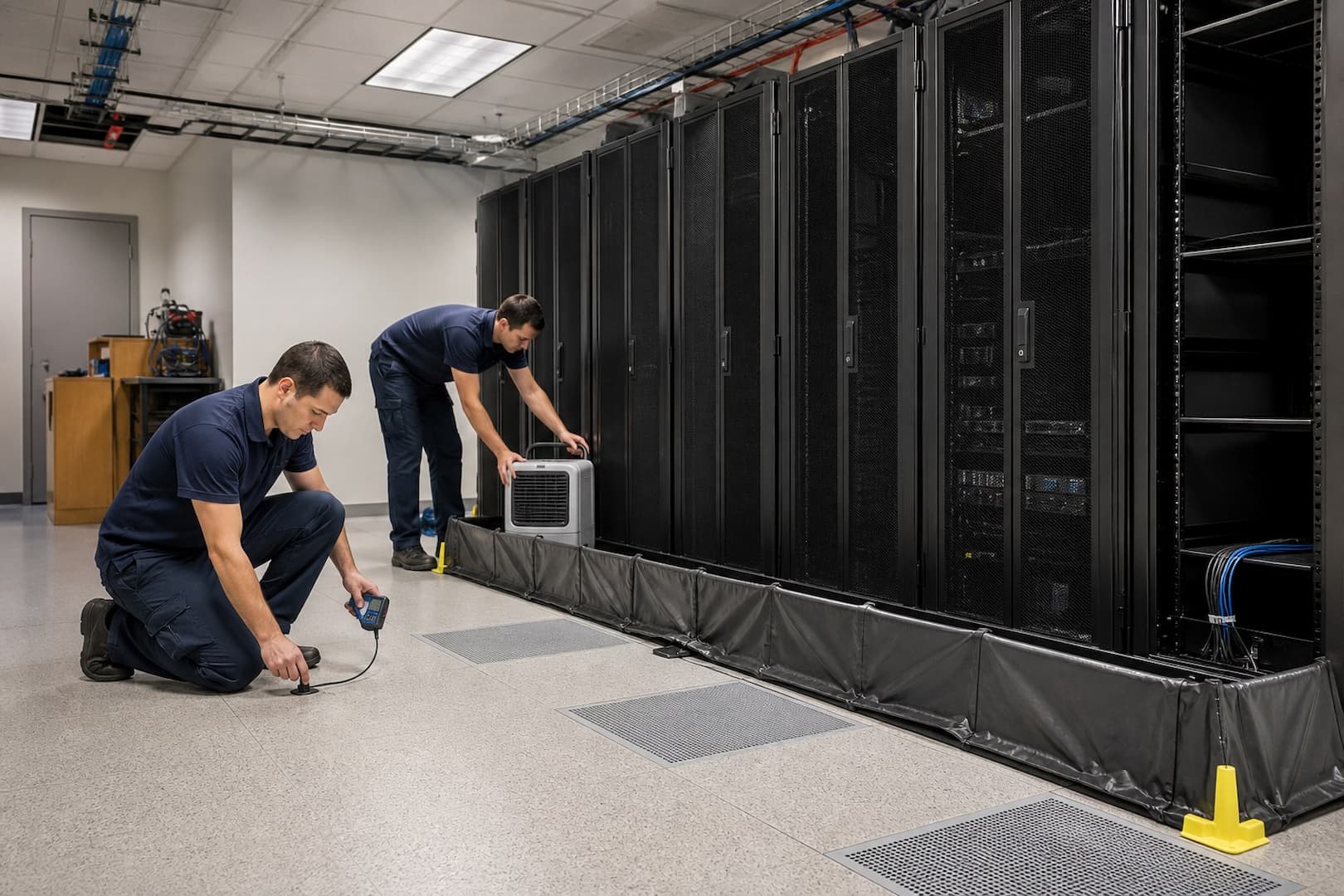
- Install monitored leak sensors at likely sources and low points.
- Route condensate with accessible cleanouts, alarms, and maintenance.
- Use drip protection or pipe relocation designed by the appropriate trade, not loose plastic over hot equipment.
- Raise critical equipment above known flood levels where practical.
- Maintain documented shutdown, failover, backup, vendor, and after-hours contact procedures.
- Test alerts and battery backup; a sensor no one receives is decoration.
- Review roof, sprinkler, HVAC, and plumbing work permits for risks to technical spaces below.
Server-room water questions
Should IT shut down first or facilities isolate power first?
Life safety controls the sequence. IT may perform a graceful shutdown only when the area and controls are safe. Water on live equipment is not the time to protect uptime by taking an electrical risk.
Can restoration air movers run beside open servers?
Only under a coordinated plan. Air movement can spread debris or alter equipment cooling. IT, facilities, and restoration should agree on placement and environmental limits.
Can wet network cable stay in service?
The answer depends on cable type, pathway, contamination, manufacturer guidance, test results, and termination condition. A qualified low-voltage or equipment specialist should decide.
Is a dry room proof that electronics are safe?
No. Building dryness and equipment fitness are separate gates. Internal residues or moisture may remain after the room has stabilized.
Separate electrical clearance, data recovery, and room drying
These are three different decisions with different owners. An electrician or facilities authority establishes whether power can be isolated and whether the room is electrically safe. The IT team and equipment vendors decide how hardware and media will be handled. The restoration team maps water in the enclosure and surrounding building materials. No one should re-energize a rack because the carpet feels dry or because a restorer finished extraction.
| Decision | Primary owner | Evidence needed |
|---|---|---|
| Enter or isolate the room | Facilities, electrician, emergency authority | Water level, energized systems, overhead hazards |
| Move or preserve equipment | IT lead, vendor, data-recovery specialist | Asset ID, exposure, warranty, chain of custody |
| Dry walls, floor, ceiling, and plenum | Restoration team | Moisture map, water source/category, material condition |
| Restore HVAC/environmental control | Mechanical/IT facilities | Cleanliness, temperature/RH, filtration, condensate status |
| Re-energize systems | Authorized electrical and IT stakeholders | Inspection, testing, vendor requirements, recovery plan |
Water above a rack changes the containment plan
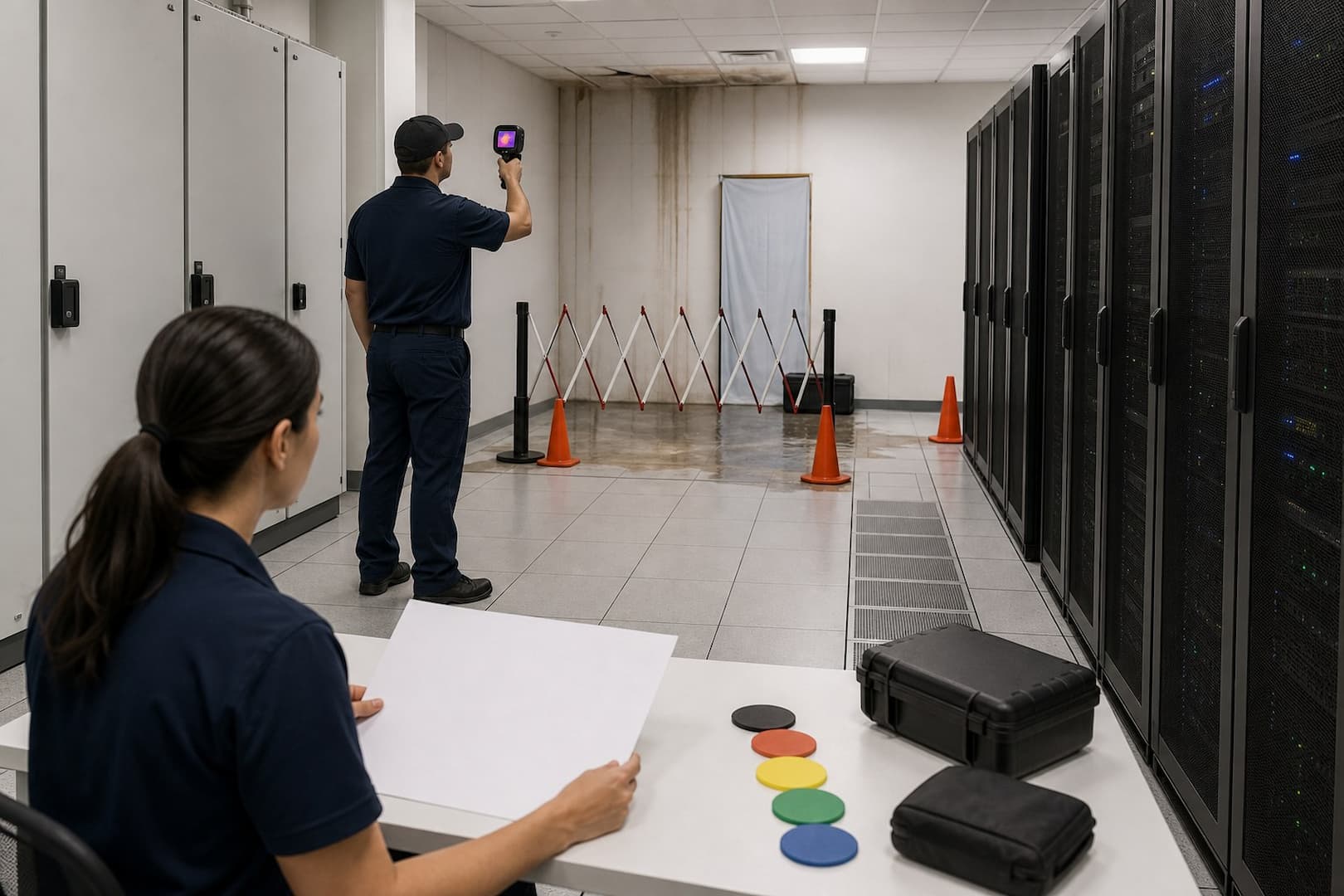
A roof, sprinkler, or plumbing loss above equipment can leave water in ceiling tile, cable tray, conduit, and the rack top even after dripping stops. Do not stand below a saturated ceiling or remove tile over energized systems. Falling debris and trapped water create a second release. Once power and structure are cleared, inspect the vertical route from source to raised floor or slab, including wall penetrations and adjacent rooms.
Air movers can push dust, soot, mineral residue, or microbial contamination into servers and optical equipment. The drying plan should direct air across building surfaces without using racks as ducts. HEPA-filtered air control may be needed during selective demolition, but high airflow is not a substitute for cleaning. Coordinate filter changes and environmental tolerances with the IT owner.
Handle devices as evidence-bearing assets
Photograph rack position, asset tags, cable connections, and visible wetting before movement when safety allows. Label both ends of disconnected cables. Use antistatic handling and the manufacturer’s instructions. Do not shake, open, power-test, or bake wet electronics as a field experiment. If data is critical, preserve drives and media for a specialist; repeated power attempts can reduce recovery options.
- Create a time-stamped asset register and assign one chain-of-custody lead
- Separate exposed, suspect, and confirmed-dry equipment
- Use clean staging space with controlled temperature and humidity
- Retain failed plumbing or sprinkler components when the incident plan requires it
- Record who authorizes disposal, cleaning, evaluation, and reinstallation
- Track business-critical dependencies, not only replacement value
Commercial restoration response should integrate this register with the building loss. The related commercial water-damage response plan helps businesses assign these roles before an incident.
Define environmental recovery criteria before equipment returns
A server room may need stricter dust, temperature, humidity, and leak-control conditions than the surrounding office. Write the target with the IT and mechanical teams before reconstruction. Check wall cavities, subfloor or raised-floor voids, insulation, acoustic treatments, and penetrations. If sprinkler water mixed with ceiling debris or smoke residue, cleaning and corrosion risk must be addressed alongside drying.
The restart sequence should include the source repair, leak detection, electrical testing, environmental stabilization, equipment vendor review, backups, and a rollback plan. Powering everything at once makes it harder to identify a failed circuit or damaged device. Document the order and monitoring interval. A clean-looking room is only one gate in the recovery process.
Sources and further reading
- CDC: Guidelines for Cleaning Safely After a Disaster
- Boston.gov: Recovering from a Flood
- Massachusetts DPH and MassDEP: Flooding and Sewage Back-ups Home Care Guide
- Massachusetts DPH: Quick Reference — Water Damage Response in Buildings
Coordinate an IT-space water response
Boston Restoration Group can handle water extraction, moisture mapping, material drying, and restoration documentation while the facility coordinates electrical and IT specialists. Contact BRG for a commercial response plan in Greater Boston.